
Compliance Config
Configure tenant-level compliance check policies. Once enabled, the gateway will automatically inspect request and response content for compliance. All switches are disabled by default.
How to Access
In the tenant admin panel, navigate to "System Settings → Compliance Config" to access the configuration page. This page is only accessible to users with the Tenant Admin role.
Configuration Items
1. Sensitive Word Check
When enabled, the system automatically detects sensitive words in user input (Prompt) and AI response content. Matched words will be blocked or replaced to prevent inappropriate content from spreading.
Tip: Use with the sensitive word dictionary. Configure the words to be detected in "Sensitive Words" before enabling this feature.
2. PII Privacy Masking
When enabled, the system automatically identifies and masks personal privacy information (PII) in conversations, including but not limited to: ID numbers, phone numbers, bank card numbers, email addresses, etc. Masked content is displayed in desensitized form.
Timing: Masking is completed before requests are sent to LLMs, ensuring sensitive data stays within the corporate network.
3. Prompt Injection Blocking
When enabled, the system detects and blocks prompt injection attacks that attempt to bypass AI security restrictions. Such attacks use carefully crafted inputs to induce unintended AI behavior. Enabling this effectively improves system security.
Coverage: Covers four major attack vectors: instruction override, information leakage, encoding bypass, and duplicate injection.
How to Use
- Navigate to "System Settings → Compliance Config"
- Three configuration toggle cards are displayed, each with feature name, description, and current status
- Click a toggle to enable or disable. Changes take effect immediately
- After updating, all subsequent requests/responses will be checked according to the new policy
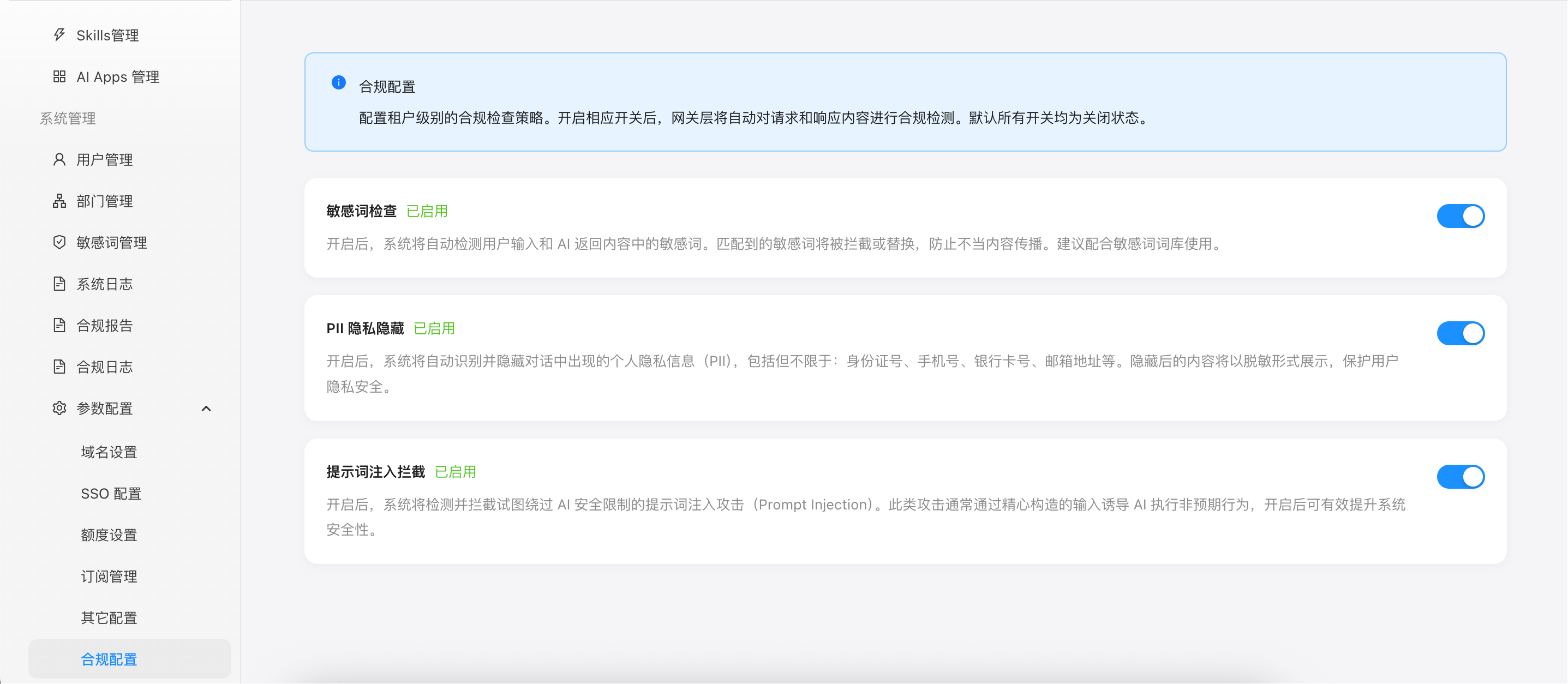
Figure: Compliance config page showing three configuration toggle cards
Important Notes
- Compliance checks only take effect at the gateway proxy layer and do not affect historical data already stored in the database
- Before enabling sensitive word check, configure the word dictionary first, otherwise no words will be matched
- Compliance checks add minimal request processing latency (typically milliseconds)
- All configurations are tenant-isolated — different tenants can set policies independently