
Quota Management
Configure tenant-level default Token usage quotas. All user API Keys will inherit the default quota, and admins can also adjust quotas at the individual Key level.
How to Access
In the tenant admin panel, navigate to "Settings → Quota Management" to enter the quota configuration page. This page is only accessible to users with the Tenant Admin role.
Configuration Fields
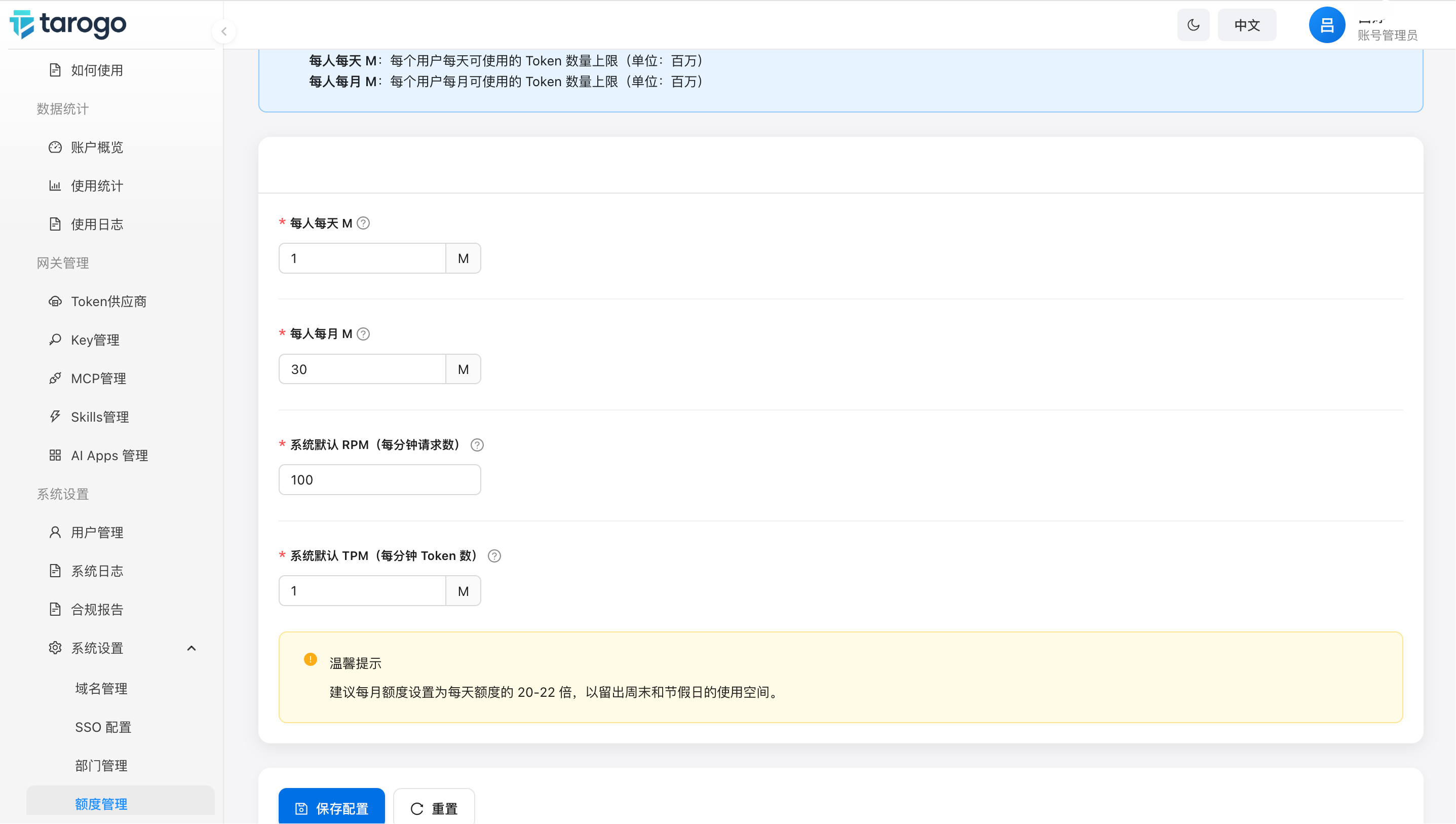
Figure 1: Default quota configuration page
| Field | Unit | Description |
|---|---|---|
| Daily Quota | M | Maximum Tokens an API Key can consume each day, in M (millions). Default value: 100M Tokens. Requests exceeding the daily limit will be restricted. |
| Monthly Quota | M | Maximum Tokens an API Key can consume each month, in M (millions). Default value: 2000M Tokens. Monthly quota must be greater than the daily quota. |
| Requests Per Minute (RPM) | req/min | Maximum requests per minute for each API Key. Used to limit request frequency and prevent burst traffic from overwhelming backend services. Default: 100. |
| Tokens Per Minute (TPM) | M | Maximum Tokens per minute for each API Key, in M (millions). Works with RPM to enforce rate limiting from both speed and volume dimensions. Default: 1M Tokens/minute. |
Effect Mechanism
- Changes apply to new Keys only after saving
- Existing Keys need individual editing in the Key list
- Monthly quota must exceed daily quota
- RPM and TPM together form rate limits
How to Use
- Navigate to "Settings → Quota Management" to view current quota parameters
- Modify quota fields as needed (all fields are required, monthly quota must be greater than daily quota)
- Click "Save Config" to apply changes; click "Reset" to revert to the last saved values
Notes
- Quota settings are tenant-level defaults. New API Keys inherit these defaults. Existing Keys can be adjusted individually via the Key edit page
- Changing default quotas does not automatically apply to existing API Keys; it only affects newly created Keys
- Department quotas are independent of tenant defaults. Each department can have its own daily/monthly quota settings
- Quota limits are enforced in real-time at the gateway layer. Exceeded requests are rejected with a corresponding error code